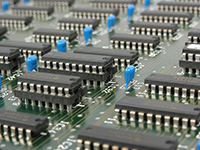
In more than a few movies you see people contract viruses on their computers and then the computer starts emitting smoke and sparks. That doesn't really happen in real life, but there are instances where a computer can be physically damaged by how it is used.
Speakers and Headphones
It's possible to damage your speakers or headphones simply by the sounds you play through them. The most harmful things for speakers and headphones are loud music played for extended lengths of time and loud transients—sudden noises that move the speaker's magnet too quickly and can tear the cones.
It takes a very, very loud sound to do permanent damage. If you think this may have happened, play some familiar music and listen for rattling or humming that indicates punctured or torn cones.
Screens and Monitors
Leave a static image on an older screen or some TVs for long periods and you risk image burn-in: a faint, permanent ghost of that image on the display. Gaming consoles and set-top boxes that keep the same image onscreen can be especially risky for some HDTV sets because they often don't use a screensaver.
When a screensaver isn't available, turning the monitor or TV off when it's idle is the simplest way to avoid long-term damage.
Overheating
The most likely physical damage in a computer comes from overheating. A poorly ventilated system or an overclocked machine can suffer serious damage if pushed hard for a long time.
Most modern computers will shut themselves down if they sense overheating, though a determined saboteur could disable automatic shutdown, stop fans, or push the system beyond safe limits. If you depend on specialized hardware, you may want to review coverage options like Computer Disk/Drum Drives/Components Insurance to understand protection for physical components.
In short, computers can be damaged physically without opening the case, but it would normally take a dedicated effort and a slow-to-notice victim. For businesses that develop or distribute software, it can also help to consider broader protections such as Computer Software Publishers Insurance.
If you're unsure about what your policy covers or whether you need additional protection, consider contacting an insurance professional—ask an agent.
Frequently Asked Questions
Can a computer virus physically damage hardware?
Most malware does not physically destroy hardware; the realistic risk is overheating from forced high-load activity, but automatic protections usually prevent permanent damage.
How can I tell if my speakers are permanently damaged?
Listen for persistent rattling, humming, or distortion at normal volumes; those are signs of torn cones or other physical failure.
Does image burn-in affect modern screens?
Some modern OLED and plasma displays are susceptible to burn-in; using screen savers, reducing static images, and turning screens off when idle reduces the risk.
What should I do if my computer keeps overheating?
Check ventilation and fans, remove dust, ensure vents aren't blocked, and consider professional service if temperatures remain high under normal use.