Overview
Warranties for phones, tablets, laptops and desktop PCs can be confusing because coverage depends on the manufacturer, retailer, and the type of warranty purchased. This guide explains common situations that may—or may not—void a warranty and practical steps to protect your coverage before you seek repair.
Key takeaways
- Cosmetic changes rarely void a warranty, but opening a device can if it causes damage or breaks seals.
- Software changes that are reversible (like rooting) may be fixed by restoring factory settings, but evidence of tampering can still be problematic.
- Authorized repairs are the safest way to preserve warranty coverage; keep receipts and proof of purchase.
How it works
Warranties set terms about defects in materials and workmanship, not accidental damage or unauthorized modifications. Manufacturers often require repairs to be performed by authorized service providers to remain fully protected.
If a device is taken in for repair, the technician typically inspects for signs of liquid damage, physical tampering, or third-party components; finding these can change the repair outcome. If you want formal information about extended or product-specific protections, check resources like Warranty Products Insurance.
What it may cover (and what it may not)
Most standard warranties cover manufacturing defects such as faulty screens out of the box, bad batteries that fail prematurely in normal use, or CPUs that stop working from manufacturing faults.
Warranties generally do not cover accidental damage (drops, spills) unless you purchased accidental-damage protection separately, nor do they cover loss or theft. For specialized policy options related to property and fire risks, see Warranty Fire.
Software issues caused by manufacturer updates are often covered, but intentional software modifications (rooting, jailbreaking) can be treated as user-caused changes. Reversible changes are sometimes accepted if you restore factory conditions before service.
Common mistakes to avoid
Opening a sealed chassis without following manufacturer guidance is a common mistake because it can break warranty stickers or tamper-evident seals.
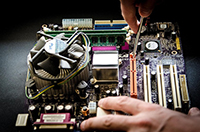
Using non-approved replacement parts or self-repairing complex components (motherboard or connectors) can introduce damage that voids coverage; simple user-accessible upgrades like adding RAM are usually safe when allowed by the maker.
Failing to back up data and not documenting the device condition before sending it in for repair can cause disputes about pre-existing damage.
Questions to ask an agent
Before you pay for or attempt a repair, ask whether the work must be done by an authorized provider and whether third-party parts affect coverage. If you need broader insurance or replacement guarantees, you can learn about additional options like Warranty Bonds.
Also ask what evidence (receipts, serial numbers, photos) the manufacturer requires and whether a factory reset will clear any software-related service issues.
Next steps
Before pursuing a repair: back up your data, take photos of the device, note the serial number, and locate your proof of purchase. These steps speed claims and reduce disagreements about pre-existing damage.
If you are unsure whether a specific action will void coverage, talk to an agent or contact the manufacturer’s support for a clear policy explanation.
Frequently Asked Questions
Will replacing a screen myself void the warranty?
Not always—cosmetic repairs can be acceptable if they don't cause additional damage and you disclose the repair, but manufacturer rules vary so check your warranty terms first.
Does rooting or jailbreaking a phone automatically void the warranty?
It can. Some manufacturers will deny service for modified devices, but restoring factory software and removing signs of modification may allow a claim; policy differs by maker.
Can water damage be covered under warranty?
Most standard warranties exclude accidental liquid damage unless you purchased accidental-damage protection, and indicators of water exposure often lead to denial of warranty repairs.
If I add RAM to a laptop, will that void the warranty?
Adding user-accessible RAM is commonly allowed, but check the warranty terms—if the upgrade requires opening non-user parts, it could create issues.
What paperwork should I keep to support a warranty claim?
Keep the purchase receipt, warranty card, serial number, and any repair receipts; photos of the device condition before sending it in are also helpful.