After several hours of sitting at your work desk, it’s finally time for your break. The moment you stand up, you may find your legs numb, stiff, or unresponsive. This is a common scenario for many desk workers.
Being devoted or working hard is not negative, but prolonged sitting without good habits can harm the body. Extended motionless work may seem productive in the short term, but it contributes to problems like weight gain, poor circulation, and increased stress, which ultimately reduce overall productivity.
When workers become immersed in their tasks, it’s often hours before they realize they haven’t moved their lower extremities. A simple corrective habit is to stand and stretch periodically to restore circulation.
Ideally, get up from your desk at least once every hour for a few minutes. That can be as simple as walking to the water cooler, bathroom, or copier to break long periods of sitting.
The computer is a common source of poor ergonomics. Monitors should sit directly in front of you at arm’s length and tilted slightly downward to reduce glare and eye strain. Blinking more often helps keep the eyes moist, and you can try small head-tilts to find a comfortable viewing angle. If you manage or supply workplace computer systems, see Computer Systems Turnkey Vendor Insurance for related vendor coverage considerations.
The keyboard should be directly in front of you at a comfortable distance; test both sloped and flat positions to see what feels best. Rest your palms when you are not typing to avoid unnecessary strain. For workplaces that maintain hardware components, consider options like Insurance for Computer Disk, Drum Drives, and Components when assessing risk and protection for equipment.
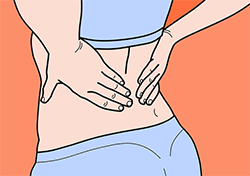
Once equipment is positioned properly, make sure your body is aligned. Keep your feet flat on the floor and your lower back supported; a lumbar cushion or an ergonomically designed chair can help. Stores that sell ergonomic office supplies carry chairs and inserts designed for comfort and support.
Workers who take small steps to care for their bodies at work will feel better both on the job and at home. Even a few minutes spent stretching and adjusting posture can improve comfort and long-term productivity. If you want to review coverage options, ask your agent.
Frequently Asked Questions
How often should I stand or move during the workday?
Stand or move briefly at least once every hour to improve circulation and reduce stiffness.
What is the best height and distance for a computer monitor?
Place the monitor directly in front of you at arm’s length with the top of the screen at or slightly below eye level to reduce neck and eye strain.
Can simple changes to my workstation reduce pain?
Yes; adjusting monitor position, keyboard height, and using lumbar support can significantly reduce neck, shoulder, and back discomfort.
Are short desk exercises effective?
Yes; short stretches and brief walks increase blood flow and help prevent stiffness and fatigue throughout the day.