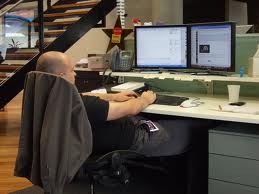
 Ergonomics expert John Quain offers these recommendations for keeping computer-induced, repetitive-stress injuries (RSI) at bay:
- Get up and walk around. Take a one-minute break every 30 minutes and a five-minute break every two hours.
- Learn keyboard commands. Start using the keyboard commands, such as Ctrl/A to 'select all' text, as a faster alternative to the mouse, menu, and toolbar.
- Don't cradle the phone with your neck. The handset is for your hand.
- Keep a clean screen. Dusting off your screen once a week will relieve eye strain.
- If it hurts, don't do it. Pay attention to pain messages from your body.
- Have regular eye exams. Slaving over a CRT will only exacerbate vision problems.
- Change your gear. Switch keyboards and pointing devices at regular intervals.
- Avoid mouse abuse. Use a light grip to avoid tensing the muscles and tendons in your arm.
- Keep warm. Colder muscles and tendons seem more susceptible to RSI.
- Check your extracurricular activities. Such repetitive actions as playing a musical instrument can trigger RSI.