Across the country, temperatures plummet during cold winter months. Many employees must work outdoors and face injury or even death because of the weather conditions. Protect your outdoor workers with several safety precautions. Consider Winter Weather Insurance as part of your risk-management strategy.
Which Employees are at Risk?
- Police officers, firefighters, EMTs
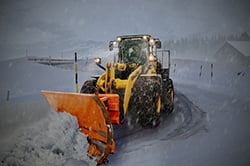
- Snow cleanup crews
- Utility workers
- Construction crews
- Postal workers
- Miners
- Farmers
- Traffic controllers
Employees who work outdoors for extended periods could suffer weather-related injuries. Employees who only spend a short time outside could also be in harm’s way if they don’t prepare properly for the conditions. Employers of road or street crews should review Street/Road Construction Workers' Compensation coverage options as part of their planning.
Understand Winter Weather Dangers
Cold air temperatures, high winds, damp air, slippery surfaces and contact with water threaten your outdoor employees. Winter weather dangers include frostbite, hypothermia, increased strain and injury risks, dehydration, decreased performance and other health and safety challenges.
Tips to Protect Your Outdoor Employees
Assess the dangers your outdoor employees face, and then implement safety protocols that protect your team.
Know the forecast.
If the forecast calls for cold temperatures, high winds, snow or ice, alert employees and ensure they take appropriate safety measures.
Wear protective clothing.
- Wear three layers. An inner insulating layer traps perspiration, a middle layer protects the body from precipitation and an outer layer allows ventilation and prevents overheating.
- Fabric matters. Wool, silk or certain synthetic fabrics, rather than cotton, keep skin dry even in wet weather or when perspiring.
- Loose is better. Tight clothing can trap moisture and lower body temperature.
- Remember the extremities. A hat, gloves, two pairs of socks and insulated shoes protect head, hands and feet.
- Pack extra clothing. If an accident happens, employees can change clothes and get dry and warm.
Stay alert to body changes.
Ask employees to look for symptoms of frostbite, hypothermia, dehydration or other problems. They should report tingling, itching, burning, pain, sluggishness, aggressive shivering, disorientation and slurred speech to their supervisor.
Eat a healthy diet.
Adequate fluids prevent dehydration, and a balanced diet improves focus and energy. Employees should avoid alcohol and tobacco as these substances can impair thinking, constrict blood vessels and restrict blood flow, which increases heat loss and affects the body’s ability to warm extremities.
Apply sunscreen.
Harmful UVA and UVB rays can cause sunburn in any weather. Provide sunscreen for all employees to wear on exposed skin.
Promote safety this winter for your outdoor employees when you follow these tips. If you need additional support in putting plans in place, talk to an agent.
Frequently Asked Questions
What are the first signs of hypothermia?
Early signs include intense shivering, confusion, slow speech and drowsiness; seek shelter and medical attention if symptoms progress.
How should employers respond to frostbite on a worker?
Move the person to a warm area, gently warm the affected areas with body heat or warm water, and seek medical care for severe cases.
Are employees more likely to be dehydrated in cold weather?
Yes; cold reduces thirst response, so encourage regular fluid intake even when workers do not feel thirsty.
How can employers prepare workers for sudden weather changes?
Create a communicated plan that includes layered clothing, extra supplies, check-ins, and procedures for stopping work when conditions become unsafe.