The brand new Smart TV you receive for the holidays adds value to your home entertainment system. Connect it to the internet and use a remote control, smartphone or tablet to watch movies and videos, post photos to social media sites, and access apps such as Netflix and Skype.
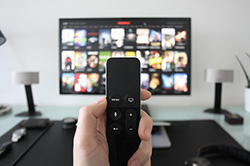
Despite its smart features, your Smart TV can be hacked. Take steps to protect your new Smart TV from unauthorized access and privacy invasions.
How are Smart TVs Hacked?
Smart TV manufacturers do not always deliver security updates as quickly as phone or computer makers, and some apps or services on TVs may contain vulnerabilities. Hackers can gain access to a Smart TV through an unsecured network connection, unpatched firmware, or vulnerable applications.
What attackers can do
- Steal your credit card information or identity.
- Access your passwords.
- Utilize voice recognition software for data-mining purposes.
- Use your browsing history to send you targeted ads or instant advertising messages.
- Turn the camera on and spy on you or your possessions.
- Take over social media apps and post questionable, offensive, or inappropriate content on your behalf.
- Access and modify files stored on or accessible from the TV.
How to Prevent Hackers
- Update firmware and install patches regularly.
- Use the firewalls and security settings on both your Smart TV and your network router.
- Perform regular malware scans if the TV’s platform supports them.
- Check for data‑sharing or data‑mining language in the TV’s manual, features, or settings and disable unnecessary permissions.
- Separate device networks: use one Wi‑Fi network for your Smart TV and another for phones, computers, and home office devices.
- Exercise caution when browsing the internet on a TV; reserve it primarily for entertainment and use a secure computer or phone for banking and shopping.
- Inspect instant messages that pop up on your TV screen and only open messages from reputable sources.
- Cover the camera with tape or a physical cover to block unwanted access.
- Disconnect the internet when your Smart TV is not in use to limit remote access.
- Discuss specific security settings and recommended practices with your TV’s manufacturer or support line.
- Consider cyber insurance to help protect your personal information and devices if preventive measures fail.
You can protect your new Smart TV from hackers by applying these preventative measures to secure personal information and reduce privacy risks.
For owners of larger installations or businesses that use television equipment, consider reviewing protection options for installations like TV Towers Insurance.
If you want to review coverage or explore options with a professional, talk to an agent.
Frequently Asked Questions
Can covering my TV’s camera fully prevent spying?
Covering the camera blocks visual spying but does not stop malware or audio capture; combine a cover with software and network protections.
How often should I update my Smart TV’s firmware?
Check for updates monthly or enable automatic updates if available to ensure security patches are applied promptly.
Is it safe to use banking or shopping apps on a Smart TV?
It’s safer to use a secure computer or smartphone for sensitive transactions; TVs may lack the full security features of those devices.
What should I do if I suspect my Smart TV has been hacked?
Disconnect it from the internet, reset the TV to factory settings, change related passwords, and consult the manufacturer or a security professional.