Employees who use iPhones can stay connected to the office at any time. While iPhones have a reputation for security, they are vulnerable to cyber threats just like other devices. Encourage employees to follow several security tips as you protect your company.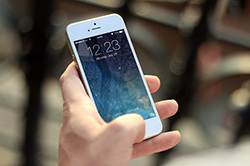
Keep the Phone Intact
Jailbreaking an iPhone allows users to customize the device, but it also makes the phone vulnerable to malware, viruses and other cyber threats. Only allow employees to use intact, unmodified phones.
Update the Phone
A phone with an updated operating system and apps is more secure and harder to hack. Remind employees to enable automatic system and app updates.
Use a Long Passcode
Instead of a four- or six-digit PIN, opt for a longer passcode using a mix of uppercase and lowercase letters, numbers and symbols to increase security.
Enable Two-Step Authentication
In addition to a passcode, iPhone users can require a one-time code, security prompt, or biometric authentication such as Touch ID or Face ID. Two-step authentication reduces unauthorized access.
Auto Wipe Content
Enable the option that erases device content after 10 unsuccessful passcode attempts; while inconvenient if someone forgets their passcode, this protects sensitive data. Users should back up important data to iCloud before enabling auto-wipe.
Turn off Siri
Hands-free assistants can be convenient, but Siri may expose certain data from the lock screen. Recommend that employees disable Siri access from the lock screen to limit potential data leakage.
Disable Auto-Fill
Auto-fill remembers login and credit card details, which can be a security risk if someone else picks up the phone. For better security, employees can disable auto-fill for passwords and payment methods.
Audit App Permissions
Apps often request access to the camera, microphone and other features. Encourage employees to review app permissions regularly and revoke access that isn’t needed.
Avoid Opening Unknown Links
Train employees to recognize suspicious links, such as those with misspellings or unexpected senders. They should be cautious with links in emails, texts and websites.
Prevent Theft
A thief can gain access to sensitive information via a stolen device. To reduce risk, employees should keep track of their phones, avoid leaving them unattended and be aware of their surroundings. For related physical-security coverage information, see Security and Intrusion Detection Insurance.
Update Cybersecurity Insurance
If an employee’s iPhone is hacked, lost or stolen, your company may face financial liabilities and penalties. Consider Security Audit Insurance to help manage compromise-related risks, or talk to an agent about appropriate coverage.
iPhones are among the most secure consumer devices, but following these tips helps protect the phones your employees use and your company’s data.
Frequently Asked Questions
What should I do if an employee loses their iPhone?
Immediately lock or erase the device using Find My iPhone and change any passwords for accounts accessed from the phone.
Is auto-wipe safe to enable for business phones?
Yes—auto-wipe helps protect data if a device is stolen, but ensure users back up important data before enabling it.
How often should employees update apps and the OS?
Enable automatic updates so devices install security patches and app updates as they become available.
Can disabling Siri or auto-fill interfere with productivity?
Disabling these features may reduce convenience but improves security; evaluate the trade-off based on your company’s risk tolerance.