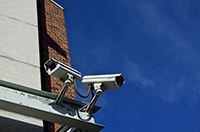
Keeping your building secure is important for your business. You can't afford to lose valuable inventory, equipment or data. When choosing a security system, your options vary, so consider several tips as you select the system that works for your business.
Employ Security Guards
During the day and overnight, you could hire guards to patrol your property and look for suspicious behavior. They can use a mixture of physical patrols and virtual monitoring depending on the size of your property, its location and your business type. You may contract with a security company or hire guards directly; for coverage information related to hiring guards, see Security Guard, Patrol & Investigative Insurance.
Erect a Perimeter Fence
A large fence keeps unwanted snoopers out and protects your employees, customers and inventory. Select one with visual appeal that does not inhibit visibility for security personnel, and choose an entry access, such as lock and key or electronic keypad, that's convenient for everyone.
Install a Lighting System
Be sure all areas of your property, including doors, windows and gates, are well lit. A lighting system protects visitors and employees from tripping and allows you to see intruders. Remember to use vandal-proof covers over the lights and power sources; for professional installation and maintenance of monitoring equipment, review Security Systems Services.
Choose an Alarm System
A variety of alarms protect your property from different threats. Consider installing burglar alarms and fire alarms as well as a surveillance system. Talk to industry professionals as you customize the alarms that work best for your business, and consider related coverage such as Security and Intrusion Detection Insurance.
Protect Data
Sensitive data, including customer information and sales data, must be protected or you could face hefty fines and other penalties. Store hard copies of important papers in a fireproof safe. Other information should be stored in a secure network off premises or with an encrypted cloud provider.
Write a Security Policy
Your business should have a security policy that details the measures your business takes and how you plan to keep information, inventory, employees and customers safe. The policy should address topics like who is welcome on the property and how to report a theft, and it should be reviewed periodically.
Promote Responsibility and a Safety Culture With Employees
Every person on your team should support safety awareness and be responsible to do his or her part. That includes locking doors, protecting client data and notifying the safety manager about potential threats.
Update Your Insurance Coverage
After your security system is in place, talk to your agent. Be sure your property is covered with general liability, workers' compensation and other protective coverage; your agent will assist you in selecting the right types and amounts of insurance for your specific business as you prioritize security.
Frequently Asked Questions
Do I need 24/7 security guards?
Not always; the need depends on your location, hours, valuation of inventory, and risk assessment. Many businesses use a mix of scheduled patrols and electronic monitoring instead of full-time guards.
Can better security reduce my insurance costs?
Yes—installing alarms, improving lighting, and updating policies can lower risk and may qualify you for premium discounts, but check with your insurer for specific savings.
How should I protect customer data?
Use encryption, secure off-site backups, strong access controls, and employee training to protect sensitive customer and business information.
What should a basic security policy include?
It should outline access rules, incident reporting procedures, data handling practices, and roles and responsibilities for security oversight.