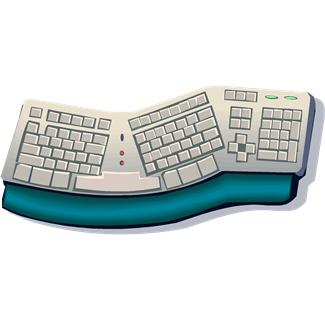
 As we all know by now, ergonomics is essential for people who work at a computer all day. CSRs can maintain sanity and prevent injury by guarding against computer vision syndrome and carpal tunnel syndrome. Several articles on the subject, including a wonderful set of stretching instructions, can be found on the web by looking up 'Ergonomics.'
Here are some ideas, all of which can be accomplished without purchasing new office furnishings and equipment:
Break up repetition. For example, for every 30 minutes on the telephone, take five to eight minutes away from the phone and keyboard to process the work generated in the previous half hour.
Schedule frequent, regular breaks. Take three to four minutes off for each 56 to 57 minutes worked. It's equivalent to the two 15-minute breaks most people take each day, and will probably provide greater comfort.
Change pace. Make a conscious effort to speed up or slow down your keystrokes to add variety to your day. Remember, every minute you slow down you must compensate for by speeding up in your next work session.
Change posture. Uncross your legs, cross your ankles, use a footstool, place both feet flat on the ground, push your rear end to the back of the seat, and lean on the front edge of your seat (taking care not to tip over).
Learn how to adjust your furniture and equipment. Your video display screen should be 14 to 20 inches away from eyes. Your keyboard height should be between 22 and 30 inches from the floor. The keyboard should lie within a 20-degree angle of the horizontal beam created by your eye line. Position yourself to avoid twisting or bending your wrists.
Adjust the brightness and color of your screen. The monotony of a single color combination can cause stress. It's OK to vary brightness or color as the day goes on.
Alternate keyboard with mouse or track ball. If you've been using the alphanumeric keyboard for commands, switch to mouse or track ball for a while to do a report or calculate rates.
Vary your tasks. If you've been typing a report or proposal, take time to hand-write a few thank-you and F.Y.I. notes.
Stretch or rest between movements. Before you answer the next telephone call, drop your hands to your sides and shake them lightly. Or reach for the ceiling, stretching as you go.
Avoid using too much force. Today's keyboards are much more sensitive to the touch than the keyboards many of us learned to type on. Lighten up!
Give yourself gifts. Reward yourself with an armrest, a footrest, a wristrest, or a document holder with an adjustable angle and height.
The common thread running through most of these tips is to change positions and activities at regular intervals. You'll find that improving your health will improve your performance.